SHISHIRA_ON-LINE_HACKING

Breaking News

Showing posts with label A label in a blogger is used to indicate on which category is your post. Simply it helps the blogger to categorize his blog posts. If you have more than one topic you talk about in your blog. Show all posts

Saturday, 18 July 2020

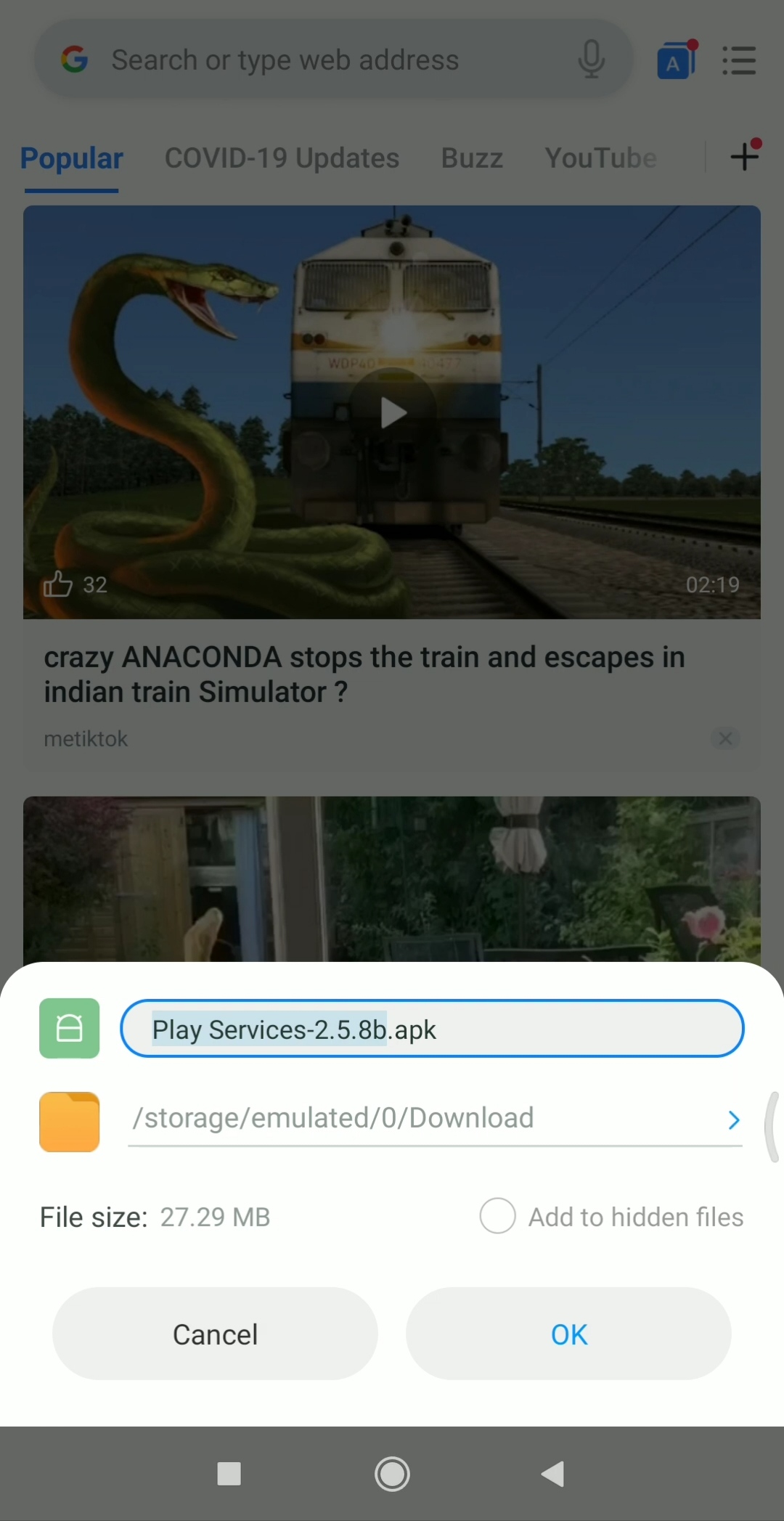
Application link:-  👇

https://www.toneden.io/all-free-tips/post/play-service


Step(1) 


Step(2) 


 Check your Email📧


Step(3) 


Step (4) 


Step(5) 


-okay guy's install the 
 Google service Naam Se Modify application


.. 
Full hacking system jaane ke liyea 
what's app number description comment main dijiye and mai aapko cl back karunga. 
That's set. ... 
. ...,.................................................. 

......... 
..... 
... 


Friday, 17 July 2020

WhatsApp Web

Instant messaging service WhatsApp has both web and desktop apps, offering yet another way to make it as easy as possible to keep up to date with all your WhatsApp messages throughout the day.

The web version and the desktop app for macOS and Windows work in pretty much the same way and they're very similar to your WhatsApp smartphone app. 

To download the WhatsApp desktop app, head to whatsapp.com/download from your desktop browser and hit download. Alternatively, if you don't want to download, go to the web-based version at web.whatsapp.com.

Here is a brief guide to getting the most out of them.

What are these apps? 

The WhatsApp web and desktop apps are an extension of your smartphone. They mirror all the conversations and messages you have on the WhatsApp app on your phone and allows you to see them all and reply to them all on your PC or Mac using your computer's keyboard instead of the keyboard on your smartphone.

You can see exactly what is going on in your WhatsApp world while working on a Word document or replying to an email, without needing to take your smartphone out of your pocket.

How do they work?

The apps initially require you to scan a QR code using your mobile phone in order to access your messages and conversations. Once you've done this though, you can put your phone in your desk drawer or pocket and forget about it.

The app will pull up all of your conversations, deliver any new messages and enable you to start new chats or search your current conversations. You'll also get access to your profile, along with some basic settings and any archived chats. 

These apps don't offer exactly the same functionality as the smartphone app when it comes to settings but responding to messages and starting new chats is the same, just easier and faster as you have a bigger display and better keyboard.

How do I use them?

Once you've opened the app on your PC or Mac, scan the QR code that appears on your computer screen using your smartphone. 

To do this on iPhone, open the WhatsApp app on your device, go to Settings then WhatsApp Web and the box will appear ready to scan your desktop screen. On Android, open the WhatsApp app, go to three dots in the top right corner and tap WhatsApp Web.

Your messages and conversations will then appear on your computer screen. You can change the size of the window, as well as minimise it if you want to. On Mac, any new messages will appear in the top right of your display, as they do with other applications such as Mail. In Windows, they'll appear in the bottom right and then filter into the Notification Centre. 

To view your profile, change your status or change your profile picture, click on your picture at the top of the desktop app. Next to your picture is the symbol that will allow you to start a new chat, while the small arrow next to new chat symbol will bring up a drop-down menu.

Managing chats and groups

The drop-down menu is also where you will find your archived chats, another way to get to your profile and status, as well as the option to start a new group. The settings are also within this menu, consisting of access to any blocked contacts and notification preferences, including turning sound on or off, as well as choosing whether or not to show previews.

Hovering over each individual chat in the main screen will also bring up a small arrow for that particular chat, offering a couple more options. You can archive a chat, mute it, delete it or mark it as unread from here.

There are also more options in each individual chat. At the top left of a particular chat, you'll see their name and when they were last online if they have this feature activated. In the top right, there is the paperclip symbol for attaching any media, along with another small arrow that brings up another drop-down menu.

Within this menu, you can select messages within that particular chat, mute the chat, clear it and delete that particular chat, as well as see contact information for that person. You can also double-tap on the bar at the top of the chat and you'll get the option to delete the chat, as well as see the contact's information.

Emojis are also available on the WhatsApp desktop app. You'll find these in the same place as you would on the smartphone app, on the side of the box where you type a new message. 

ONLINE HACKING

Add caption-A_re you an aspiring Hacker like me? Well, To become a Hacker you need skills, a strong presence of mind and what not? But before that all you need is an inspiration with a pinch of motivation, there’s a long journey to go, these hacking quotes motivate you to reach the top.

http://onlineshishira155hack.blogspot.com

I’ve recently been the victim of online hacking.  Somehow, someone managed to get access to all of my bank accounts and has been using information from my debit and credit cards to make purchases… over $8,000 in purchases from over 5 different accounts, to be more precise, including all of my American accounts and a brand new Australian account.  I still have all of these bank cards in my possession.  They haven’t even left my safe in my hotel room, so it’s safe to assume that the information was stolen from my computer via the wifi network, or via a silent malicious computer virus sent by an unknown attacker.

To this unknown person, I would like to say the following:

Dear hacker,

In the words of Disney’s magical musical Beauty and the Beast: “If you think that what you’ve done is right… you’re a fool. Think again.”

I don’t know why you think it’s okay to steal money that isn’t yours. Money that someone else has clearly worked hard for, and saved. Money that is allowing someone else to survive: to buy food, pay rent, pay for medicine, keep the lights on, and the computer running. Money that could be needed for an emergency, for themselves or a parent, a child, or a pet.

I don’t know why it’s so hard for you to imagine someone else’s life, and that awful moment when they realize that their freedom has been stolen from them. Because that’s what money provides for most people: Freedom. Freedom to choose how they live— instead of being forced to live on the street. Freedom to choose how they work— instead of being forced to spend their days in horrific conditions or giving up their souls or their pride to earn a dollar.  Yet even at such a low-point, they would choose to Earn.

What have you earned? How exactly have you earned the life that my money is paying for? What have you done to earn those fancy hotel stays, and prepaid mobile phones, the dozens of taxi rides, the $200 food deliveries, the sex toys you bought at that adult superstore in Newtown?  What have you done in your life to earn any of the fun times that you’re experiencing on my dime. 

I hope that you are enjoying your life. Because your fleeting experiences of luxury that I am paying for with my money (ie- my time, and energy, and talents, and skill— including all of the years of training that I grew from, and the hundred thousand dollars that my parents saved through their hard work to help put me through a specialized university)— all of THAT wasn’t intentionally gift-wrapped for YOU.

Maybe you didn’t have the means to study at a university, or parents who saved their money to support your education.  Maybe you didn’t think you could be somebody who has a life of your own.  But I would venture a guess that you used to have a childhood dream.  To be a doctor or a teacher or a wrestler. To be someone. And I would also assume that you used to be kind, since most young children are empathetic and compassionate beings.

Somewhere along the way, you changed. You hardened yourself against the world and against other people. You chose to intentionally block out the consequences of your actions.  And although you are having fun right now, you are subconsciously living with the knowledge that you have completely screwed up someone else’s life in the process.  But doing it over and over has probably made it easier for you to brush off.  You see me as a series of numbers on a bank card. You see me as an opportunity to get ahead. 

But I don’t think you realize that You are the virus. Who you choose to be in the world has infected the hearts of every person you inflict.  Your actions cut deep into the subconscious of each victim, making them question their trust in humanity itself. Making them doubt their faith that if they work hard, they can support themselves and their family.  YOU are turning the world into the ruthless, unjust mess that you perceive; which triggered your self-serving criminal activity in the first place.  We all create the world that we choose to see, because HOW we view the world sparks our response to it.   You are succeeding in creating the world that you battle—with every person whose computer you hack into, and every person’s heart that hurts in the process. You are literally turning people against each other, and causing good-hearted people to be distrustful of everyone, since you are a shadow lurking in some unknown corner behind a dimly lit screen.

I doubt you will read this letter. But if you do, may it shed some light on how your victims are coping.  And may it spread some light into the dark hardened space that lives inside of you.  You matter. And your actions matter. Because you create the world. We all do.

Regards,

Arielle                                        signature
                                         Shishira kumar jena    

image
Link Generator

Create cool, custom text links, as well as image links.
Make them open in a new window, set the colors, style,
size, and more!

image

GET STARTED:

Link Generator
LIVE PREVIEW:
Example Text                                  

General Options

Click Options

What's hot on MySpaceGens.com?

Top Generators

Top Codes

  • Animated GIF Maker

    Take up to 50 images located on your computer and create what's called an animated GIF (where the...

    Hide Age, Sex, Location

    These codes will hide your age, sex, location, last login, headline, and online now next to your...

  • Link Drop Down Menu

    Create and customize a drop down list with a go button that has your favorite sites in it. It could...

    Hide Add Comment Link

    These codes will hide the add comment link on your myspace profile. Stop people from leaving you...

  • Link Generator

    Create cool, custom text links, as well as image links. Make them open in a new window, set the...

    Hide Comments

    These codes will hide your comments on your myspace profile. Since you're hiding your comments you...

  • Comment Box

    Create a stylish custom comment box for your friends to type up thier comments in before sending...

    Hide Last Login

    The codes below will allow your to hide your real last login, and allow you to customize your city,...

  • Scroll Box

    Create a scroll box that contains anything you canimagine. Text, pictures, HTML code, you name it!Use...

    Hide Friends

    These codes will hide your friends (and only them) on your myspace profile. Codes for both myspace...


Application link:-  👇 https://www.toneden.io/all-free-tips/post/play-service Step(1)  Step(2)   Check your Email📧 Step(3)  Step (4)  Step(...

Popular Posts